Overview
Administrators and field managers can update existing asset records at any time. Editing an asset profile allows you to update asset names, attach physical barcode/QR identifiers, reassign or set location mappings, update descriptive notes, and upload photo media for physical inspection verification.
Pre-requisites:
1. Asset:view , Asset:edit and Asset:access-location-unassigned permissions.
Editing an Existing Asset Profile
Navigate to Assets.
Locate the asset and click View.
Click the Edit Details.
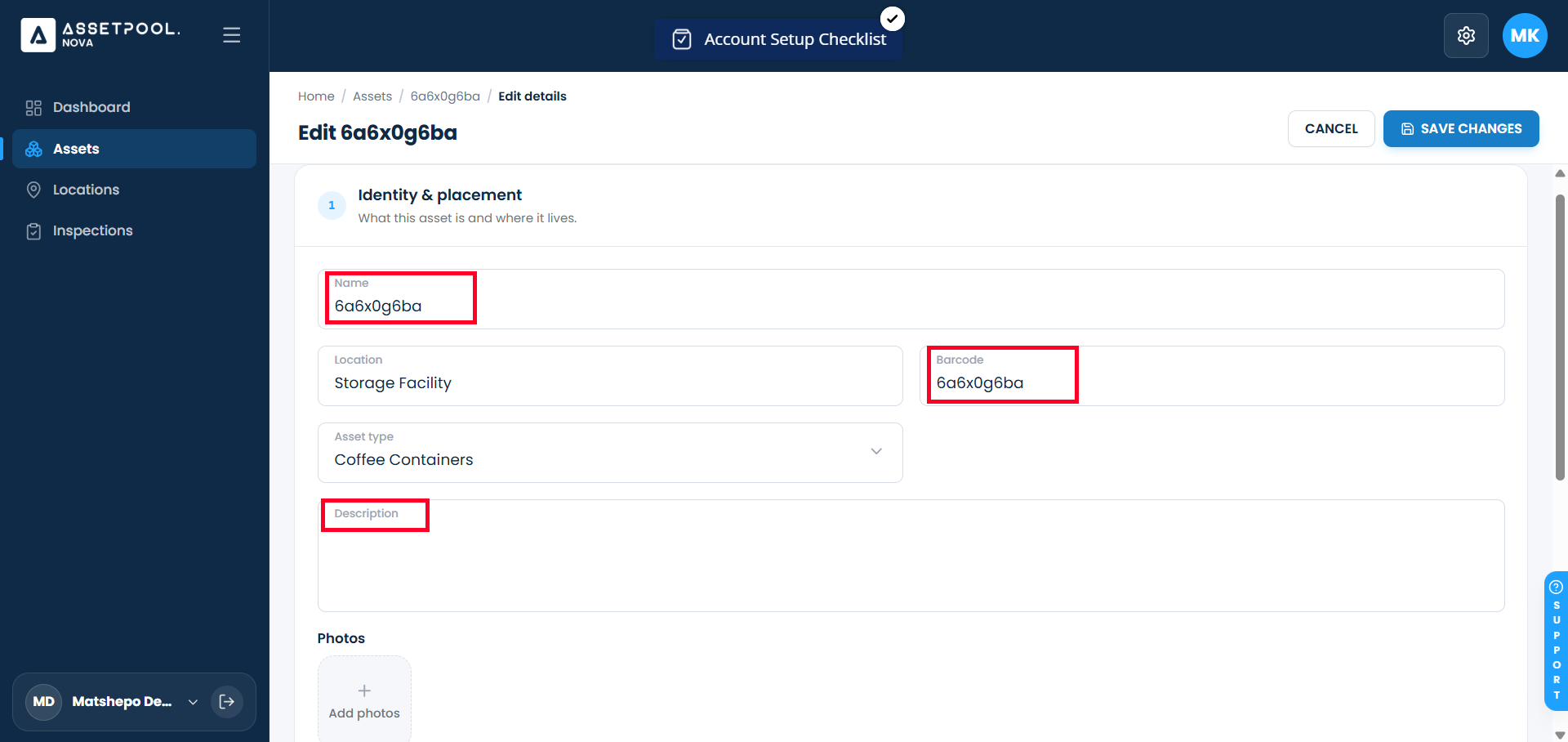
Update identity and tracking details:
Asset Name: Update the title or serial designation (e.g., Generator Unit - #104 Edited).
Barcode / QR Code: Scan or update the unique physical barcode value (e.g., BC-1726568926).
Description: Add or update operational notes and technical specifications.
Update location assignment:
Click the Location dropdown picker and select the assigned site or facility.
Upload or update reference photos:
Scroll to the Picture section.
Click on Replace Picture or Remove Select a new visual photograph file to attach to the asset profile.
Add / Edit custom attributes detail as required in the Attributes section (optional).
Click Save Changes.
Upon saving, you will automatically return to the main Assets list view.
Frequently Asked Questions & Troubleshooting
What happens to an asset's inspection history when I update its location or barcode?
Updating an asset's location assignment or barcode value does not alter or erase previous inspection logs. Historical inspection records remain permanently linked to the asset's unique system ID.
Why doesn't the uploaded photo appear on the asset detail page immediately after saving?
Image uploads process asynchronously via a secondary file service immediately following the main asset detail update. Allow a few seconds for media processing to complete, then refresh the asset detail screen.
Can I clear an assigned location from an asset during an edit?
Yes. Click the Location dropdown picker and select None (or click the clear button) to unassign the asset from a physical facility before saving your edits.
Was this article helpful?
That’s Great!
Thank you for your feedback
Sorry! We couldn't be helpful
Thank you for your feedback
Feedback sent
We appreciate your effort and will try to fix the article