Overview
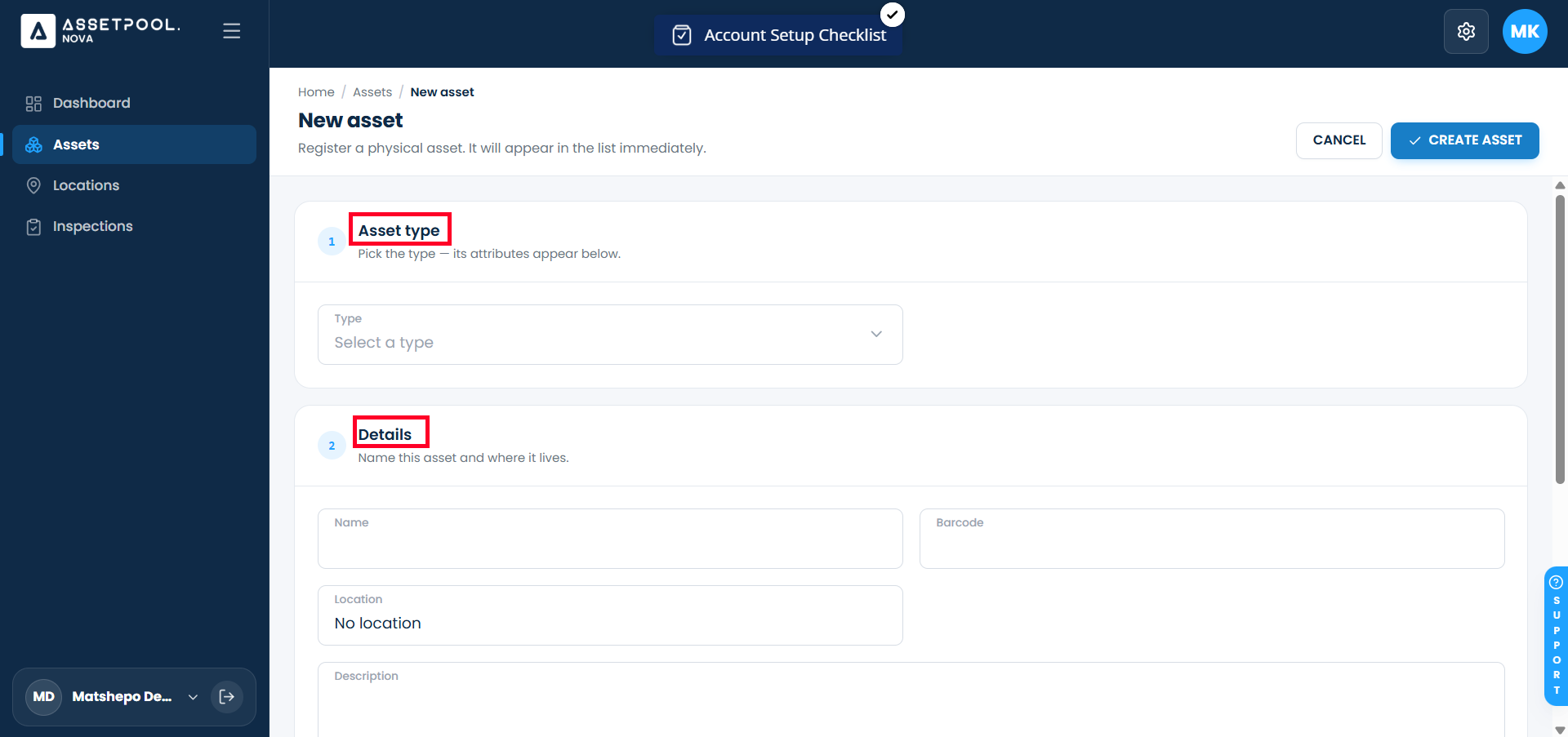
Administrators and field managers can register individual pieces of equipment or machinery in the asset directory. Creating an asset attaches it to an Asset Type category, assigns it to a physical location, links a unique barcode/serial identifier, provides descriptive notes, and uploads reference media files for visual verification.
Pre-requisites:
1. Asset:create , Asset:view and Asset:access-location-unassigned permissions.
Creating an Asset
Navigate to Assets.
Click + New Asset to open the creation editor.
Fill out the primary identification fields:
Asset Type: Select the applicable category.
Asset Name: Enter a distinct title or internal serial label.
Barcode / QR Code: Scan or type the unique physical barcode identifier (e.g., BC-1726568926).
Assign location and descriptive details:
Location: Select the assigned site or facility from the dropdown picker.(optional)
Description: Enter detailed operational notes or specification details.
Upload visual attachments:
Scroll to the Picture section and click Upload Picture.
Select a visual photo file of the equipment to attach as reference media.
Add custom attributes in the Attributes section (optional).
Click Create Asset.
Upon saving, you will be redirected automatically to the main Assets directory view.
Frequently Asked Questions & Troubleshooting
Why is adding a Barcode or QR code beneficial?
Linking a barcode allows field inspectors using mobile devices to scan the physical label directly from the mobile app to instantly pull up the asset's detail view or initiate an inspection.
Can an asset exist without being assigned to a Location?
While location assignment may be optional depending on your workspace rules, assigning a location ensures the asset appears in location-filtered reports and offline field work packages.
Was this article helpful?
That’s Great!
Thank you for your feedback
Sorry! We couldn't be helpful
Thank you for your feedback
Feedback sent
We appreciate your effort and will try to fix the article