Overview
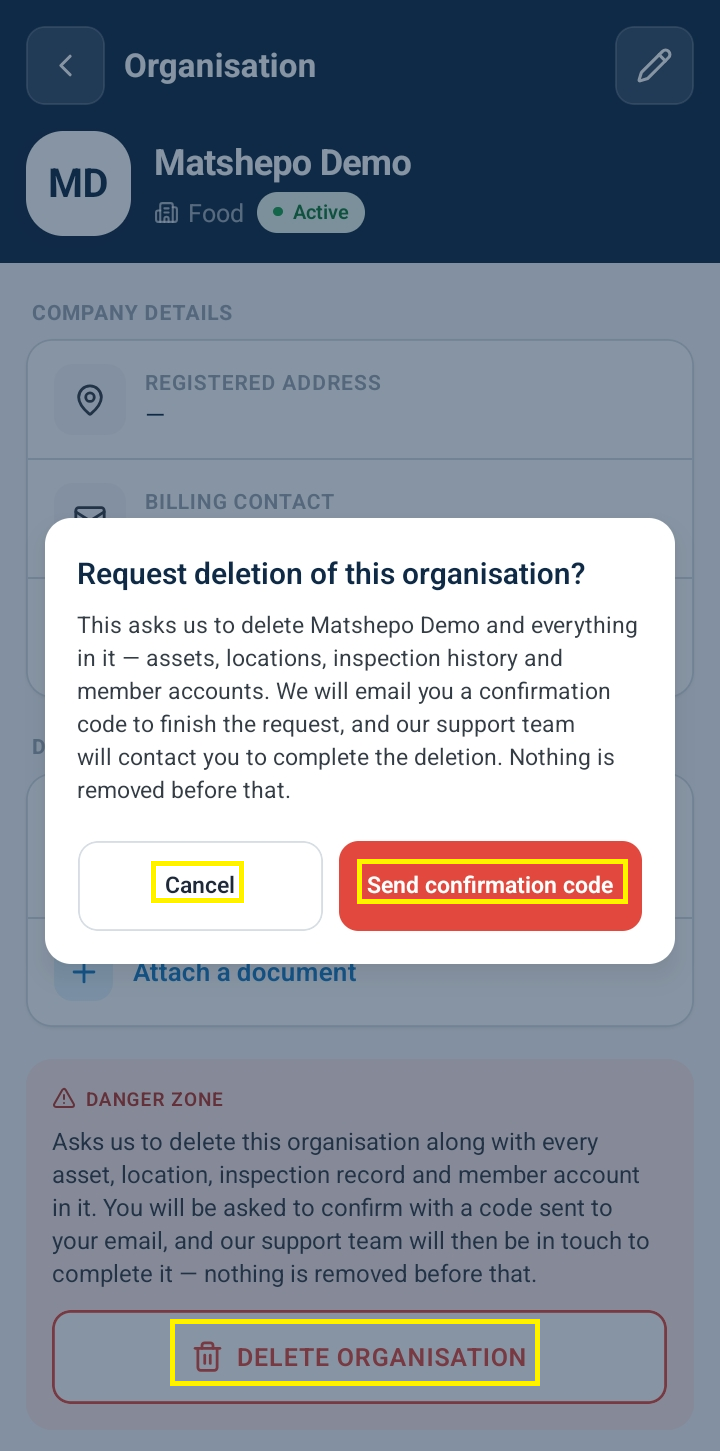
Deleting an entire organization account permanently removes associated assets, site locations, user memberships, and inspection logs. To prevent accidental data loss, the platform guards the Delete Organization action behind an interactive confirmation modal, requiring explicit confirmation before permanent deletion can proceed.
Accessing and Canceling Organization Deletion
Navigate to Organization Settings (or select Organization from the administrative sidebar).
Scroll to the Danger Zone section at the bottom of the page and click Delete Organization.
The Delete Organization Safeguard Dialog expands, displaying strict confirmation constraints:
Confirmation Warning Modal: Explicitly alerts administrators to the permanent nature of deleting the organization.
Confirmation Code Prompt: Requires entering a specified confirmation code or phrase (e.g., typing the organization name or explicit passcode) to activate deletion.
Confirm Delete Button: Disabled by default until the required confirmation code is entered.
To safely exit without deleting:
Click Cancel (or Dismiss).
The confirmation modal closes and returns you safely to the primary Organization Profile screen, where administrative buttons (such as Edit Organization) remain active.
Frequently Asked Questions & Troubleshooting
Why does deleting an organization require typing a confirmation code?
Requiring an explicit confirmation code prevents accidental multi-tenant deletions and ensures that high-impact destructive actions are intentional.
What happens if I click Cancel in the deletion dialog?
Clicking Cancel immediately aborts the deletion process, closes the confirmation modal, and leaves all organization data, user access rules, and site asset records untouched.
Who is authorized to initiate organization deletion?
Only primary Organization Owners and top-level System Administrators possess permissions to access the Delete Organization action dialog.
Was this article helpful?
That’s Great!
Thank you for your feedback
Sorry! We couldn't be helpful
Thank you for your feedback
Feedback sent
We appreciate your effort and will try to fix the article