Overview
This end-to-end workflow guides technicians and administrators through reviewing inspection records on the asset history.
Reviewing Asset Inspection History
To confirm that an inspection score has been recorded against a specific asset:
Navigate to Assets and search and select the inspected asset.
Select the Checks tab.
Select the Checks toggle :
Scroll down to tap on Inspection history:
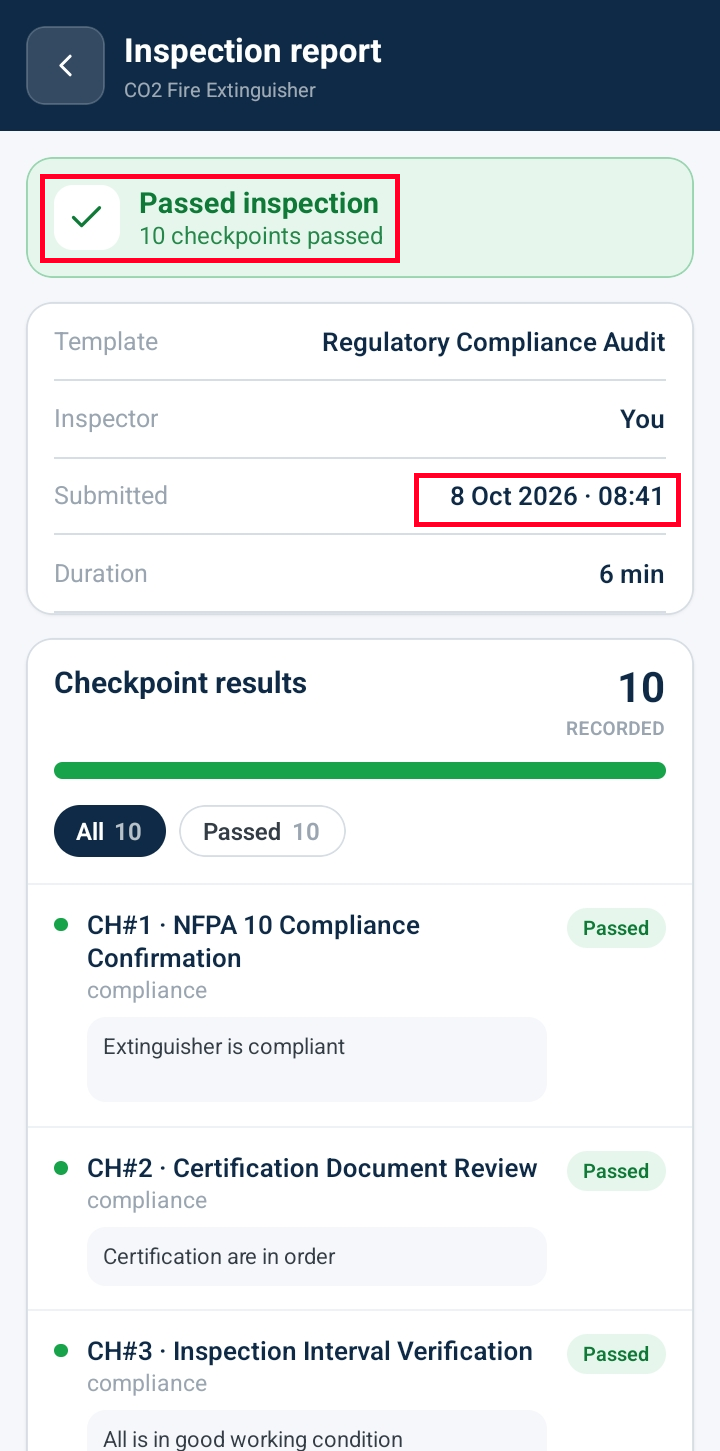
Checkpoint Scores: View individual checkpoint rows displaying the green Passed status tile along with inspector comments.
Inspection History Summary: Verify the Last Completed timestamp and completed checklist logs attached to the asset's permanent record.
Select the Checklist toggle :
Scroll down to tap on Inspection history:
Checklist Scores: View individual checklist rows displaying the outcome status of the checklist.
Inspection Report: Tap on the desired checklist record to view full inspection report details.
Was this article helpful?
That’s Great!
Thank you for your feedback
Sorry! We couldn't be helpful
Thank you for your feedback
Feedback sent
We appreciate your effort and will try to fix the article