Overview
Organization Account Owners can view their current subscription status and plan details at any time.
Pre-requisites:
1. Subscriptions:billing and Subscription:usage permissions.
Viewing Your Subscription Details
Navigate to Settings > Subscriptions settings.
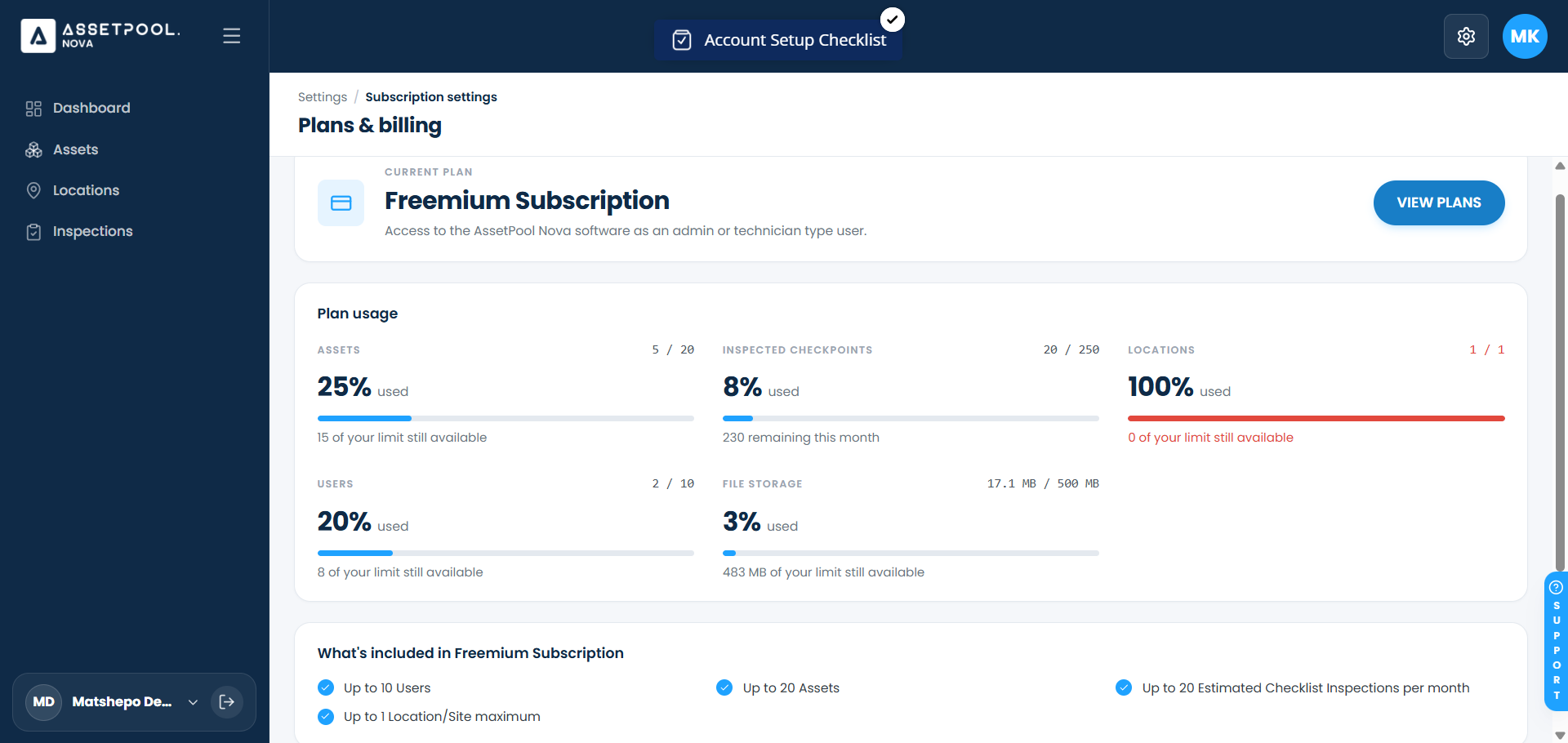
On the Plans & Billing page, billing and usage details will be displayed
Plan Name: Free Subscription
Action Control: A View Plans button allowing you to explore available upgrades.
Plan Usage: Gives a summary view of what has been used across the organisation.
Frequently Asked Questions & Troubleshooting
Who can view the Subscription Overview page?
Access to billing and subscription settings is restricted to organization Account Owners and designated administrators.
How do I upgrade plans?
Click View Plans on your subscription summary page to compare available tiers, review feature limits, and select an upgrade option.
Was this article helpful?
That’s Great!
Thank you for your feedback
Sorry! We couldn't be helpful
Thank you for your feedback
Feedback sent
We appreciate your effort and will try to fix the article